Many people still wonder how to use #hashtags effectively.
ON TWITTER
- Keep it simple.
Use up to four key hashtags per tweet.
This way, your message is not overwhelmed by hashtags, and your tweet will look clean and uncluttered. - Keep it relevant.
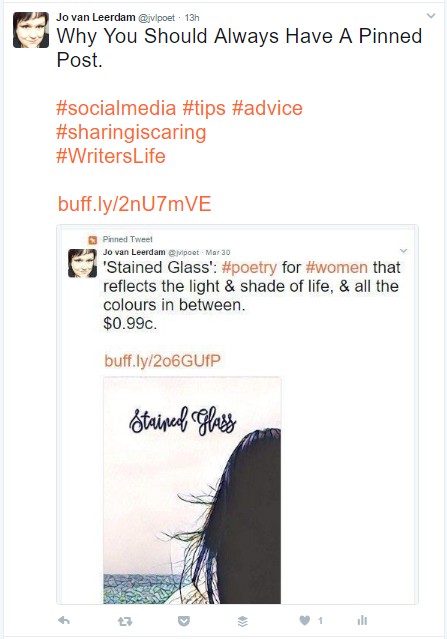
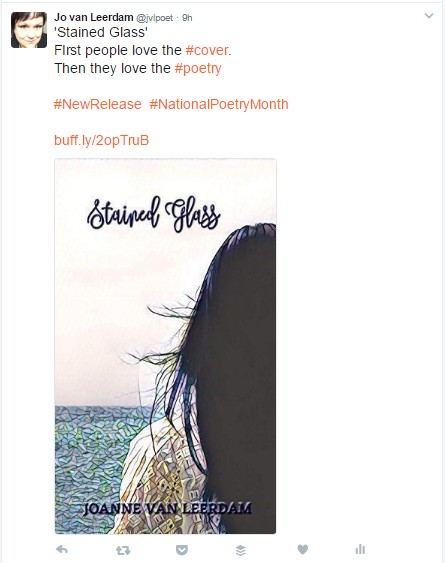
Occasionally I might add another specific hashtag if my tweet is relevant to a specific event that is going on.For example, during Women’s History Month in March, I added either #CelebratingWomen or #WomensHistoryMonth to my tweets that were relevant – but not to all of them.
Adding those tags to a post about spelling or writer’s block simply wouldn’t be appropriate, and would definitely look opportunistic rather than professional.
Similarly, given that April is #NationalPoetryMonth, I’ve added that to my tweets inviting people to read my poetry on my blog, but not to the ones where I’m offering advice to authors learning to use social media.
- Keep it useful.
Using hashtags that nobody is looking for is a waste of time and effort.
Using the search bar near your profile menu and Tweet button, you can type in key words to see which hashtags are the most popular.

The hashtags that come up will change as you keep typing – see from the illustration here the difference between typing ‘book’ and ‘bookw’.


This is a handy way to see what is most popular among the relevant terms that you could choose from.
ON INSTAGRAM AND TUMBLR

- Keep it organised.
Comment on your image or video, give your website or link, then use hashtags. It keeps things tidy, easy to read, and attractive to the eye.It also means that even when the feed condenses your post, people see the most important things first – your content, your message, and your website.
- Keep it useful.
You can use more hashtags on Instagram or Tumblr, as this helps new people find your content. You can use up to ten, but no more. Nobody wants half their feed taken up by dozens of hashtags that look as though they were chosen by a rabid squirrel who just couldn’t stop.

As you are typing on Instagram, using a hash symbol # will cause tags to come up in a list as you type. Instagram is handy in that it gives you feedback on how many times that tag has been used. Here, #poems is good, but #poetry is way better so that’s the one I chose to use. - Keep it relevant.
Don’t use the most popular hashtag of the hour if it’s not related to the content of your post. Use the tags that will find the best audience for your content: those most likely to be interested.

Once again, Instagram’s numbers on how many times a tag has been used are really helpful here. It can help you choose between terms like “writer” and “writersofinstagram” to get greater reach for your post. - What seems convenient isn’t always best.
It can be really tempting to send your post from Instagram to all your other social media accounts. However, that’s not always the best thing to do.
Don’t share directly from Instagram to Twitter unless you’re under that 140 character limit.
A longer message will get cut off, leaving your tweet looking like you don’t know what you’re doing. Nobody wants that.Don’t share directly from Instagram to Facebook if you want your post to look professional. A bunch of hashtags look completely out of place on Facebook. They’re not really needed there at all.




 WordyNerdBird